How to disable spins in the 3D tour
Here are the steps on how to disable spins from showing in the 3D tour:
2. Open the listing page and click on the Edit listing option.
3. Next, scroll down to the 3D tour section and click on Edit just below the 3D tour.

4. The 3D Tour will open in a new window.
5. Click on the spin you want to disable and then click on the crossed compass icon.
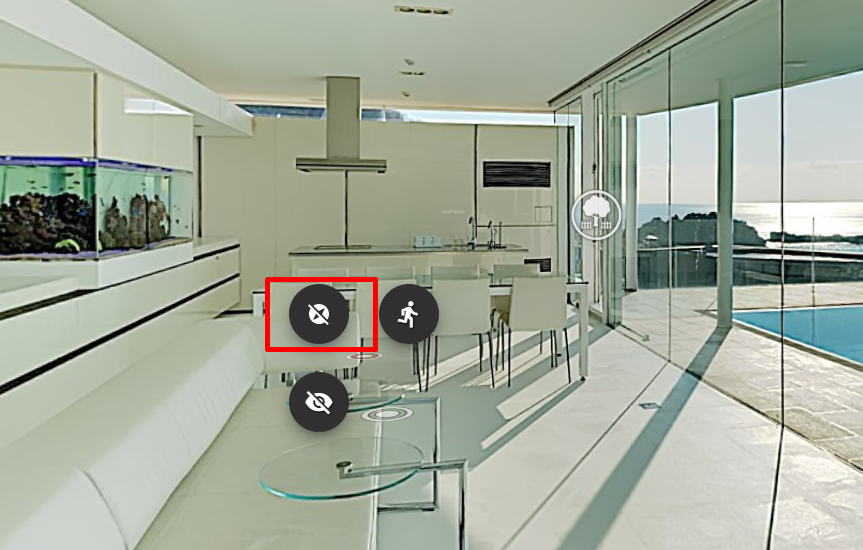
6. Confirm your action.
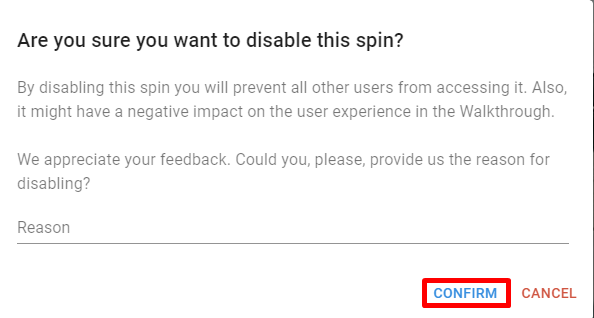
6. Confirm your action.
As an option, you can also position yourself on the spin you want to disable and unmark the "Spin is Visible" option.
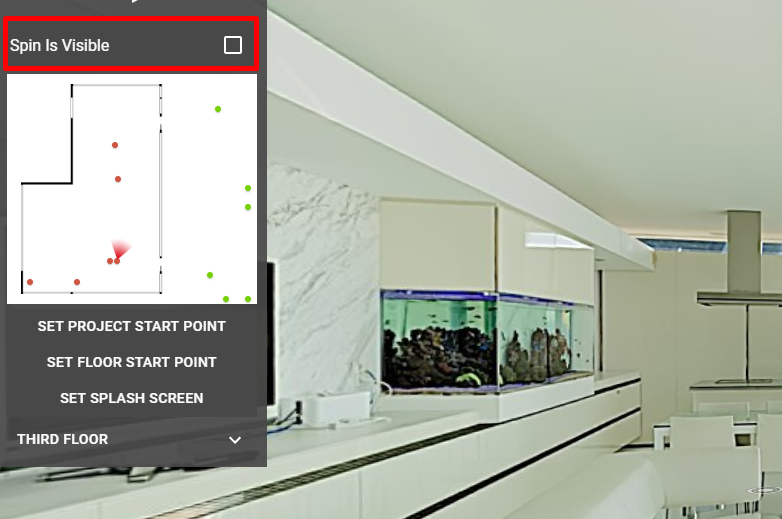
7. To enable the spin just click on the compass icon located in the same spot as crossed compass icon.
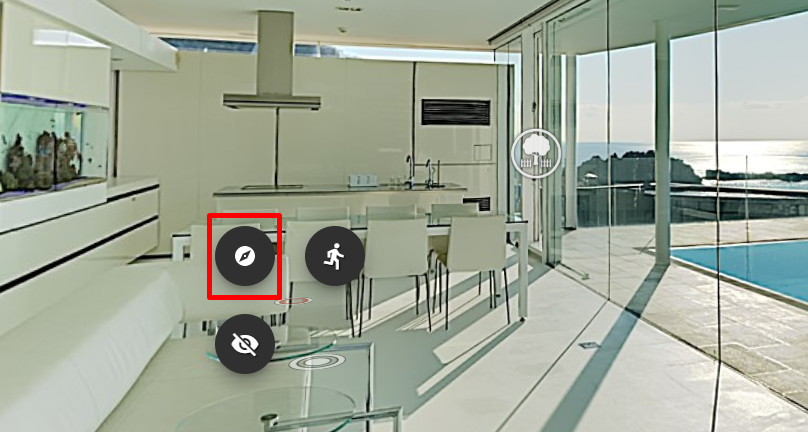
7. To enable the spin just click on the compass icon located in the same spot as crossed compass icon.
8. After you are done with disabling/enabling spins, please don't forget to save your changes by clicking on the checkmark on the bottom of the tour window (yellow rectangle).
